How to check the NRL score at work
Thursday night games that start before you knock off. Saturday shifts. Sunday afternoons on call. Finding the score isn't the hard part - checking it forty times over two hours without looking like you're checking it forty times is.
Why the usual methods get you caught
- Unlocking and opening an app. Ten seconds each time, and it reads as ten seconds of not working. Do it every five minutes and everyone notices.
- Score notifications. They buzz. In a meeting, on a ward, on a site, that's the one thing you don't want - and a close game generates a lot of them.
- A browser tab. Fine until someone walks past, or you share your screen and the ladder is sitting there.
Put the score where you already look
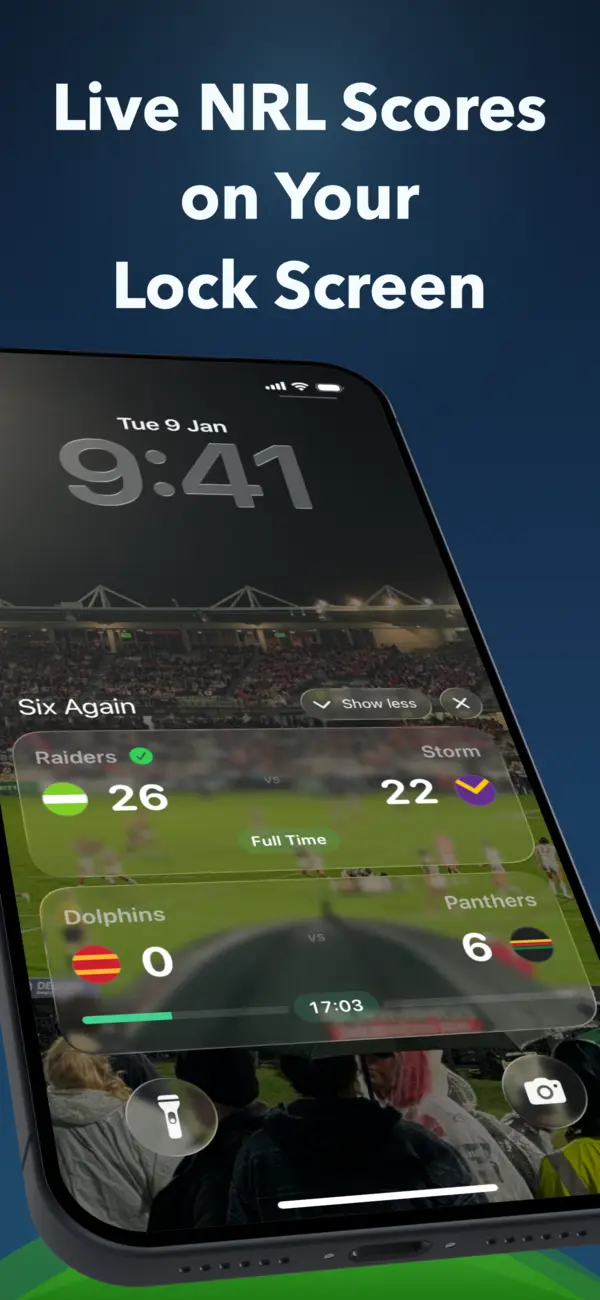
Both phone platforms have a system built for live, ongoing events: Live Activities on iPhone and Live Updates on Android 16 and later. The current score sits on the lock screen and updates silently in place. Phone face-up on the desk, and checking the footy takes the same half-second glance as checking the time.
Three things make it work at work specifically:
- One quiet live card. Six Again updates silently instead of sending repeated score alerts. On Android it remains one ongoing notification in the tray.
- Check Focus settings. Android Do Not Disturb can keep a Live Update off the lock screen; iPhone and Android handle these surfaces differently.
- On supported Android devices, it can be smaller. When Android promotes the Live Update, a compact chip in the status bar can show the score from another screen.
If you wear a watch
This is the most discreet version of all. On iPhone, iOS carries the same Live Activity into the Apple Watch Smart Stack - no separate app to install. A turn of the wrist during a meeting looks like checking the time, because it mostly is.
Set it up before your shift
- Download Six Again for iPhone or Android.
- Follow your teams - or just the one match that clashes with work.
- Turn off score notifications from every other footy app. The lock-screen score replaces them.
For an eligible followed match, Six Again can start the live score shortly before kick-off when lock-screen scores are enabled. If you're planning to watch the replay when you get home, turn on Avoid Spoilers for that team first.
Follow the footy through your shift
Live NRL scores on your lock screen - silent, glanceable, and with no gambling ads anywhere.