Live NRL scores on Apple Watch and CarPlay
Sometimes even glancing at your phone is too much - you're driving home from the coast, out for a run, or somewhere phones stay in pockets. If you wear an Apple Watch or drive a car with CarPlay, the score can meet you there instead.
How it works
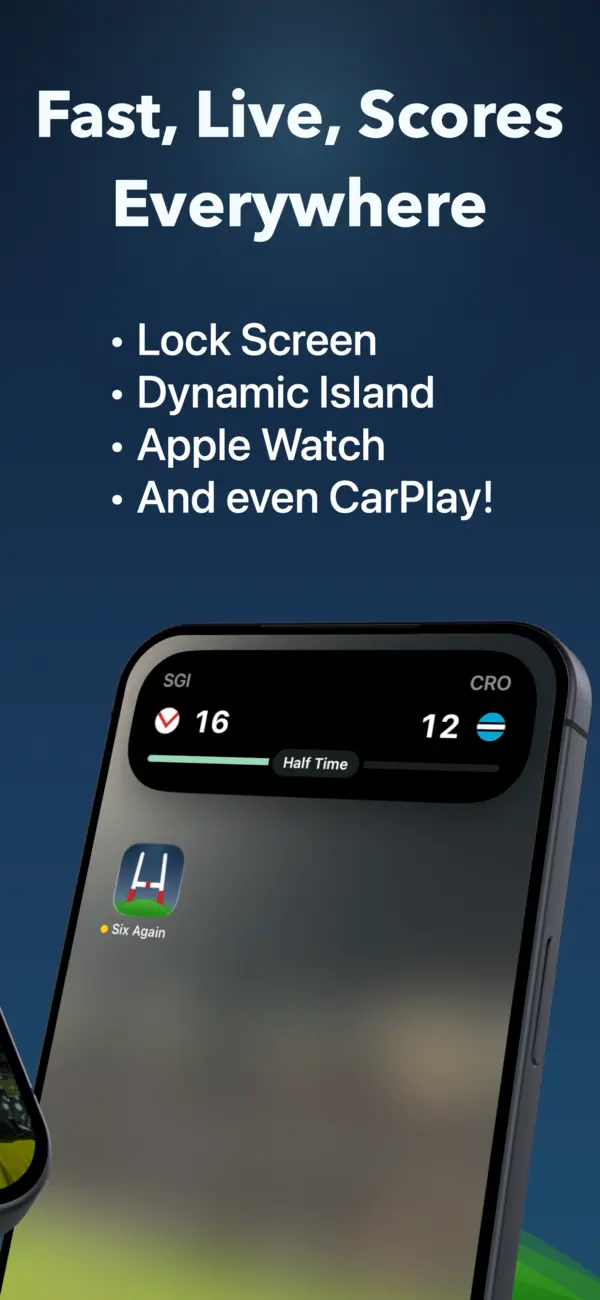
When an app starts a Live Activity on your iPhone, iOS doesn't keep it on the phone - it carries the same live card across your Apple devices:
- Apple Watch: the Live Activity appears in the Smart Stack, so a flick of the wrist shows the current score. No watch app to install or open - it comes along with the iPhone Live Activity automatically.
- CarPlay: the live score appears on your car's display, updating as you drive. Eyes stay on the road; the score's just there at a glance, exactly like a navigation ETA.
- Dynamic Island and Lock Screen: back on the phone, the same activity sits in the Dynamic Island while you use other apps and on the Lock Screen whenever you pick it up.
One Live Activity, four places. You don't configure anything per-device - if the game is live on your phone, it's live on your wrist and your dashboard.
Setting it up with Six Again
- Install Six Again on your iPhone and follow your NRL teams.
- For an eligible followed match, Six Again can start the Live Activity shortly before kick-off when lock-screen scores are enabled - or tap a match to follow it manually.
- That's the whole setup. Check your wrist at the BBQ, your dashboard on the drive home, your Lock Screen everywhere else.
Why this beats notifications in the car
Score notifications while driving are a genuinely bad idea - they buzz, they tempt you to reach for the phone, and CarPlay reads them aloud one by one. A Live Activity is passive: the current score is simply visible on the CarPlay screen, updating silently, with nothing to tap and nothing read out over your podcast. It's the difference between the footy keeping you company and the footy demanding attention.
On Android? The equivalent is Live Updates on Android 16 and later - covered in our Android guide.
The score, everywhere you look
Lock Screen, Dynamic Island, Apple Watch and CarPlay - live for every NRL and Origin match.